Color fonts have revolutionized typography by allowing designers to incorporate multiple colors, gradients, and even images within a single glyph. Unlike traditional fonts where each character is limited to a single color, color fonts open up new possibilities for expressive and visually striking text. These technologies are supported across modern operating systems, browsers, and design applications, making them increasingly accessible for both designers and developers. In this blog post, we'll explore the main color font formats—SBIX, COLR, CBDT, and SVG—examining their unique characteristics, advantages, and ideal use cases.
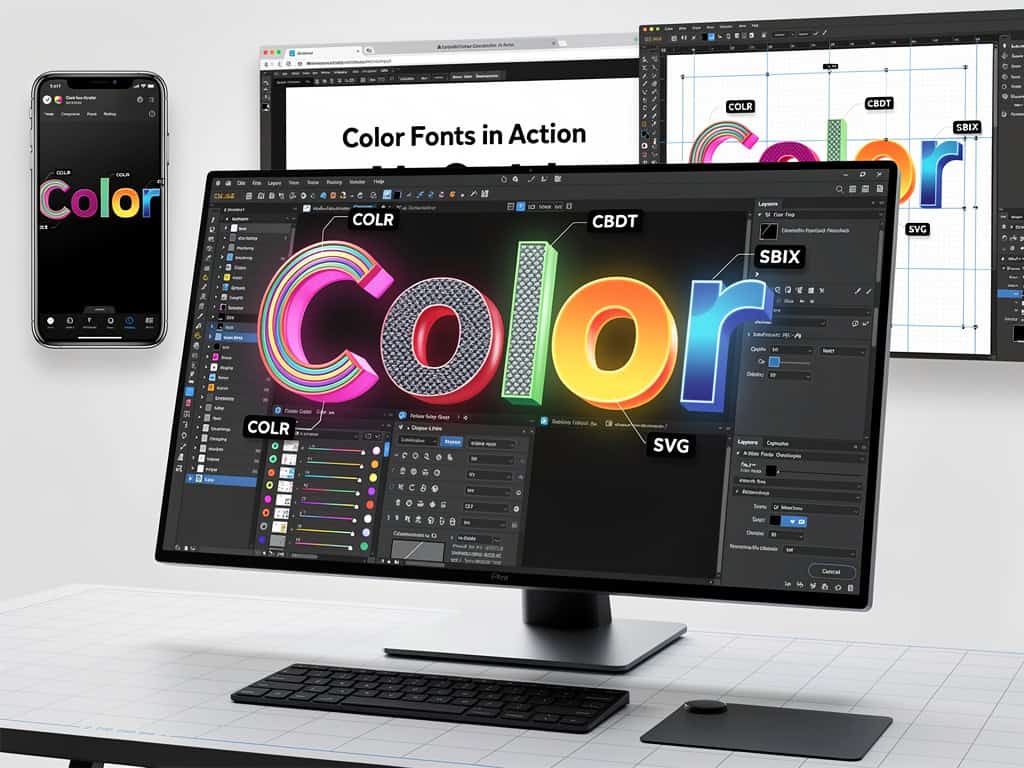
Understanding Color Font Technology
Color fonts are a relatively recent advancement in typography that extend beyond the traditional monochromatic approach. They allow designers to create text that includes multiple colors, gradients, transparency, and even complex graphics within each character. This is achieved through various encoding methods that store color information alongside the glyph outlines.
The development of color fonts was driven by the need for more expressive typography in digital environments, particularly as display capabilities improved. Major font foundries and technology companies collaborated to create standardized formats that could be widely adopted across different platforms and applications.
Color fonts are particularly valuable for branding, creative typography, user interface design, and multilingual applications where traditional color layering techniques would be impractical. They also offer benefits for accessibility, as they can be designed with better contrast and visual distinction.
SBIX Format
The SBIX (Standard Bitmap Graphics) format is one of the earliest color font formats, developed by Apple. As the name suggests, SBIX stores glyphs as bitmap images rather than vector outlines. This means each character exists as a pre-rendered image in various sizes and resolutions.
Key characteristics of SBIX:
- Uses pre-rendered bitmap images for each glyph
- Supports multiple sizes per glyph
- Relatively simple implementation
- Smaller file sizes compared to some vector formats
- Best suited for display sizes rather than scalable typography
SBIX excels in applications where consistent rendering across platforms is crucial, and where the fonts won't need to be scaled dramatically. However, the bitmap approach means that quality can degrade when glyphs are scaled beyond their intended sizes, making it less ideal for responsive web design or print applications.
COLR Format
The COLR (Color) format was developed as an open standard by Microsoft, Adobe, and Google. Unlike SBIX, COLR uses vector-based outlines with separate color layers. This approach provides excellent scalability while maintaining color information.
Key characteristics of COLR:
- Vector-based with layered color information
- Excellent scalability without quality loss
- Smaller file sizes compared to bitmap formats
- Good cross-platform support
- Supports gradients and simple color fills
COLR is particularly well-suited for web applications, user interface design, and situations where typography needs to remain crisp at various sizes. Its vector nature makes it ideal for responsive design, and the format is increasingly supported across modern browsers and operating systems. However, it's limited to solid colors and gradients, making it less suitable for complex color effects or photographic elements within glyphs.
CBDT Format
CBDT (Color Bitmap Table) is closely related to SBIX and was developed as part of the same collaborative effort. While SBIX stores color information as separate PNG images, CBDT embeds the color data directly within the font file using the PNG compression format.
Key characteristics of CBDT:
- Stores color information as embedded PNG data
- Combines vector outlines with color bitmap layers
- Good color fidelity and support for transparency
- Larger file sizes than SBIX due to embedded PNG data
- Excellent for complex color effects and gradients
CBDT offers the best of both worlds: the scalability of vector outlines combined with the rich color capabilities of bitmap images. This makes it particularly suitable for applications where color accuracy is critical, such as branding, signage, and creative typography. However, the larger file sizes can impact loading times, making it less ideal for web applications where performance is a concern.
SVG Format
SVG (Scalable Vector Graphics) fonts represent the most flexible and powerful color font format. Each glyph is stored as a complete SVG document, allowing for extremely complex graphics, effects, and even animations within individual characters.
Key characteristics of SVG:
- Each glyph is a complete SVG document
- Supports unlimited complexity in color and effects
- Excellent scalability without quality loss
- Supports gradients, transparency, and filters
- Larger file sizes but highest quality
SVG fonts offer designers the most creative freedom, allowing for virtually any visual effect within a glyph. This makes them ideal for high-end design work, branding, and applications where visual impact is paramount. The format is particularly well-suited for print applications and situations where file size is not a primary concern. While browser support has improved significantly, SVG fonts can still pose challenges for web developers due to their larger file sizes and potential performance impacts.
When to Use Each Format
Choosing the right color font format depends on your specific needs and constraints:
- SBIX: Best for applications requiring consistent rendering across platforms where scaling won't be extensive. Good for mobile apps and UI elements with fixed sizes.
- COLR: Ideal for web applications, user interfaces, and situations where scalability is important. Offers a good balance between visual quality and file size.
- CBDT: Perfect for applications requiring rich color effects and gradients where file size is less of a concern. Excellent for print and high-quality display typography.
- SVG: The choice for maximum visual impact and creative freedom. Best for branding, print, and applications where the highest quality is required.
When selecting a color font format, consider factors such as your target platforms, required scalability, file size constraints, and the complexity of visual effects needed. Many designers opt to provide their color fonts in multiple formats to ensure the best possible experience across different environments.
Conclusion
Color fonts have opened up exciting new possibilities for expressive typography, allowing designers to create text that is both functional and visually striking. Each color font format—SBIX, COLR, CBDT, and SVG—offers unique advantages and is suited to different applications and use cases.
As display technology continues to advance and browser support improves, we can expect to see even greater adoption of color fonts in digital design. The future of typography is colorful, and these technologies are at the forefront of this exciting evolution.
Whether you're a designer looking to create more expressive typography or a developer seeking to implement color fonts in your projects, understanding the strengths and limitations of each format will help you make informed decisions and achieve the best possible results.