Power & Electronics
Bandwidth Lens
Analyze and design analog filters with precision Bode, pole-zero, and Monte Carlo
Bandwidth Lens is an interactive tool for analog filter design and analysis. It supports Butterworth, Chebyshev, Bessel, and Elliptic responses, with Bode plots, pole-zero maps, SPICE export, and Monte Carlo analysis.
What It's Great For
Common scenarios where Bandwidth Lens shines
Audio Crossover Design
Design 2-way or multi-way crossover filters with precise cutoff and phase alignment.
RF IF Filter Design
Create bandpass filters for RF and IF stages with exact bandwidth and attenuation.
Anti-Aliasing for ADCs
Specify an anti-aliasing filter to meet Nyquist requirements with known stopband attenuation.
Bessel Pulse Shaping
Design Bessel filters for time-domain applications where group delay flatness is critical.
Chebyshev Sharp Cutoff
Achieve steep roll-off with Chebyshev Type I/II filters for demanding stopband specs.
Elliptic Compact Filters
Maximize stopband rejection with the minimum order using elliptic (Cauer) responses.
Features
What Bandwidth Lens can do for you
Frequency Response Analysis
Compute Bode plots, cutoff, roll-off, and attenuation across any frequency range.
Pole-Zero Mapping
Visualize poles, zeros, and transfer function decomposition for stability insight.
Filter Design & Synthesis
Derive minimum order, generate LC ladder or active stage component values.
SPICE Netlist Export
Export a ready-to-simulate SPICE netlist for LTspice, NGspice, or PSpice.
Monte Carlo Tolerance
Run Monte Carlo analysis to assess yield under component variation.
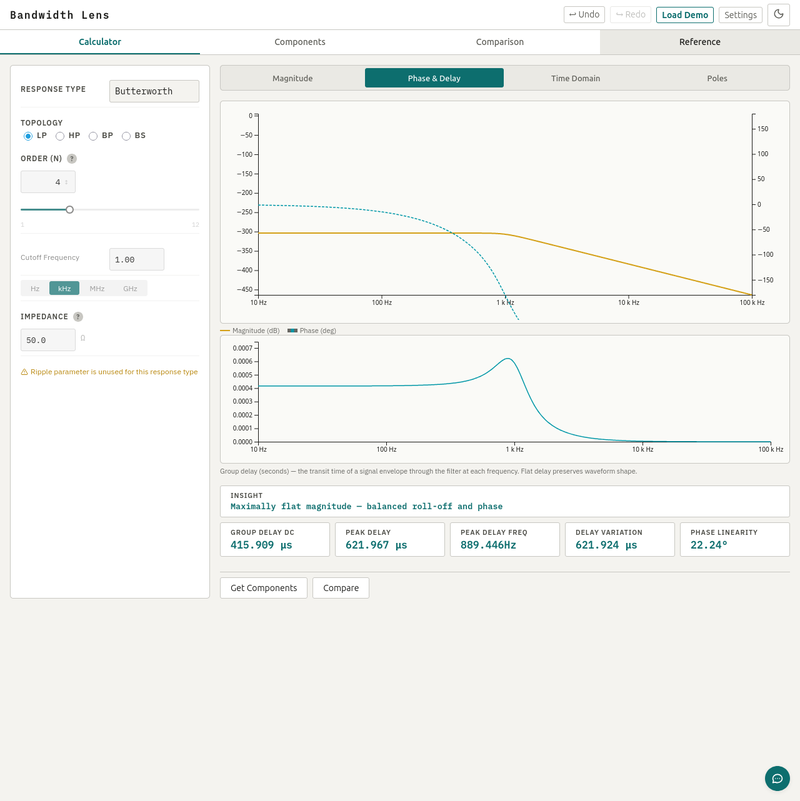
Group Delay & Phase
Evaluate group delay flatness and phase linearity for time-domain fidelity.
All Features
- Frequency response sweep (Bode plot)
- Magnitude metrics (cutoff, roll-off, attenuation)
- Pole-zero analysis
- Stage decomposition
- Group delay metric
- Phase linearity
- Minimum order finder
- LC ladder synthesis
- Active stage synthesis (Sallen-Key, MFB)
- Component value snapping to E-series
- SPICE netlist export
- Monte Carlo tolerance
- Component sensitivity
- Thermal noise analysis
- Equivalent noise bandwidth
- Step and impulse response
- Guided design wizard
- Demo presets
Integrate
Connect programmatically via the public API or MCP server
https://bandwidthlens.codecide.net/api Use this base URL for API requests.
Interactive API Docs →https://bandwidthlens.codecide.net/mcp Add this URL to your MCP client (Claude, Cursor, etc.)
View MCP docs →Professional services
Made to fit.
If Bandwidth Lens is almost what you need, we can close the gap. Branding, data, integrations, infrastructure, or deeper customizations.
No commitment. We'll figure out what makes sense.
Bandwidth Lens is free to use under the MIT license.
Bandwidth Lens is provided for estimation and educational purposes only. We make no warranty about the accuracy, completeness, or fitness of its results. Always verify outputs before applying them to designs, decisions, or safety-critical work.